The Button That Lied: Fixing Eclipse Theia's Stale Toolbar
Eclipse Theia had a toolbar button that rendered disabled but worked the instant you clicked it. The bug wasn't in the command — it was a re-render that never ran. Here's how I traced it to two reactive signals a subclass forgot to wire up, and fixed it in @theia/toolbar.

Syed Suhail Ahmed
Aug 5, 20264 min read
Some bugs announce themselves with a stack trace. This one just sat there, quietly lying to me.
Open a file in Eclipse Theia and glance at the application toolbar. The Split Editor Right button is greyed out — disabled, apparently. Except it isn't: click it and the editor dutifully splits. The command works perfectly. The button just never got the memo that it should look enabled.
That's : the application toolbar's enablement state doesn't update. Buttons render disabled when they should be active, yet fire their commands the moment you click them. The bug report even carried a bizarre workaround — add any new item to the left of the toolbar and everything suddenly repaints correctly.
That workaround was the tell. This wasn't a broken command or a bad enablement check. It was a render that never re-ran.
Where the toolbar actually lives
The application toolbar ships in Theia's @theia/toolbar package. The class behind it, ToolbarImpl, extends TabBarToolbar — the same widget Theia uses for the little action icons in the top-right corner of every view.
TabBarToolbar already knows how to keep itself fresh. It re-evaluates and re-renders its items whenever one of two things happens:
the current widget changes — so command-driven items like Split Editor Right, whose enablement depends on the active editor, can update; or
a context key referenced in an item's
whenclause changes.
Two clean reactive signals, and the base class listens to both. So why wasn't the application toolbar reacting?
Root cause: two wires never connected
Because ToolbarImpl inherited all that machinery but never fed it any inputs.
It never set
this.current, so the base class had no idea which widget was active — the "current widget changed" path had nothing to work with.It never populated
toolbarContextKeys, the set of keys the base class watches. With that set empty,contextKeyService.onDidChangewould fire on every context change and match… nothing.
So the toolbar only ever repainted when its model changed — i.e. when items were added or removed. Which is exactly why the "add a new item" workaround worked: mutating the model forced the one re-render path that was still alive.
The command enablement logic had been correct the whole time. The toolbar simply wasn't being told to look again.
The fix
Everything lives in packages/toolbar/src/browser/toolbar.tsx. Three connections to make.
1. Track the current widget. In doInit(), grab the shell's current widget and subscribe to changes:
const shell = this.lateInjector(ApplicationShell);
this.setCurrent(shell.currentWidget);
this.toDispose.push(shell.onDidChangeCurrentWidget(({ newValue }) => {
    this.setCurrent(newValue ?? undefined);
    this.maybeUpdate();
}));
Now, whenever you switch or open an editor, the toolbar knows — and command-driven items like Split Editor Right re-evaluate their enablement.
2. Collect the context keys. While building the inline items, parse each item's when clause and register its keys, so the inherited context listener finally has something to match against:
this.toolbarContextKeys = new Set();
// …for each item:
if (item.when) {
    this.contextKeyService.parseKeys(item.when)
        ?.forEach(key => this.toolbarContextKeys.add(key));
}
With the set populated, contextKeyService.onDidChange does its job — context-driven items repaint the instant their conditions change.
3. Refresh on target changes instead of rebuilding. Override the base handler so a context/target change updates the existing items in place rather than replacing them wholesale:
override updateTarget(current?: Widget): void {
    this.setCurrent(current);
    this.maybeUpdate();
}
The one gotcha: injecting the shell
There's a subtle trap here. The toolbar is part of the application shell — so injecting ApplicationShell straight into ToolbarImpl creates a circular dependency. Inversify would try to build the shell to build the toolbar to build the shell, and you'd end up with a half-constructed instance whose events never fire.
The fix is to resolve it lazily with Theia's LateInjector, pulling the shell only once construction is safely finished:
@inject(LateInjector) protected readonly lateInjector:<T>(id: interfaces.ServiceIdentifier<T>) => T;That one indirection is the difference between a shell whose onDidChangeCurrentWidget actually fires and a dead handle that silently never does.
Proving it
Two levels of verification.
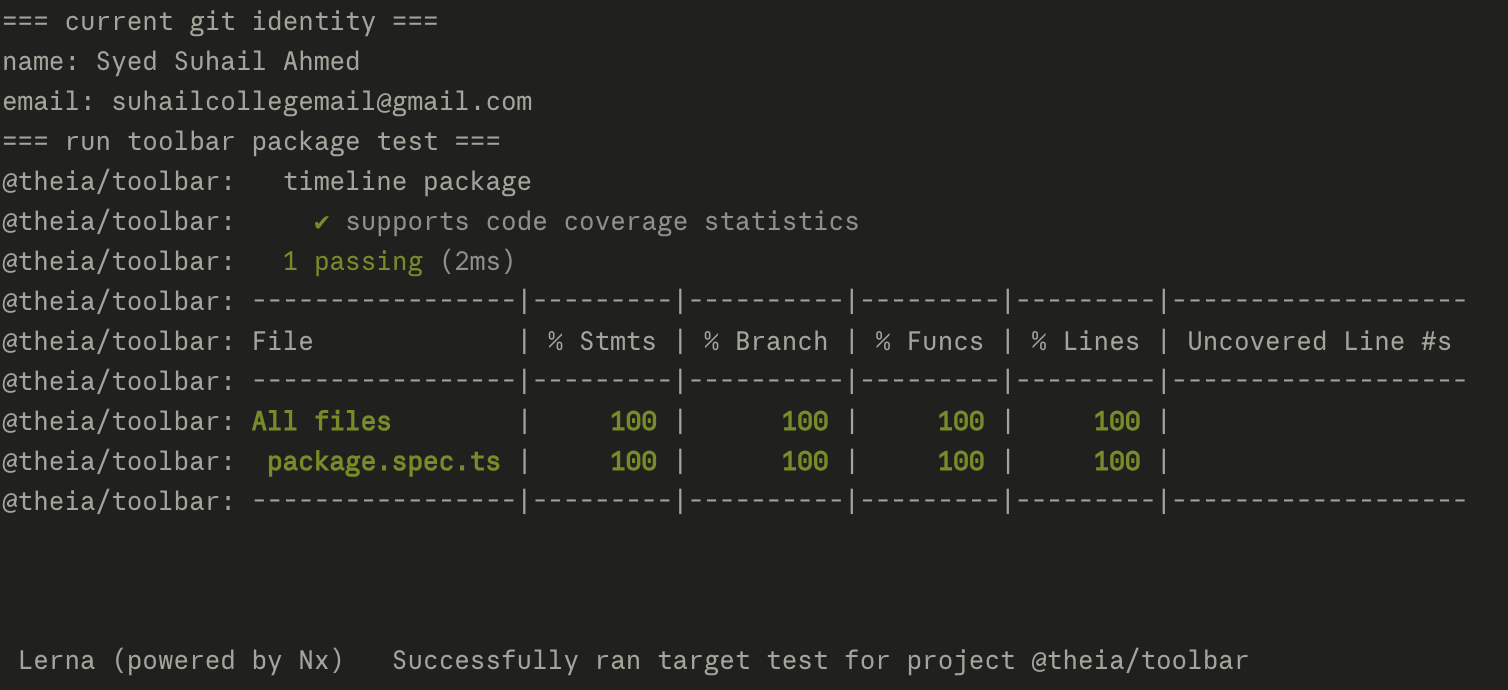
First, the package's own suite — @theia/toolbar passes clean, 100% on the covered spec:
Then the real thing: building the Theia Browser Example and watching the toolbar actually track state. Open a file, and Split Editor Right lights up on its own — no phantom disabled state, no "add an item to force a repaint" dance.
The takeaway
This is my favorite kind of open-source fix: no new feature, no clever algorithm — just reconnecting two reactive signals a subclass had quietly forgotten to wire up. The final change is small. The hard part was reading the symptom correctly: a button that's disabled but still clickable isn't an enablement bug, it's a rendering bug. Once I trusted the "it works when you click it" clue, the empty this.current and empty toolbarContextKeys were impossible to unsee.
Shipped in against eclipse-theia/theia.
Subscribe for new contributions
Get an email when I publish a new open-source write-up — how I approached the issue, the code, and lessons learned. No spam.